The Master Feature Template is where each new movie is added to the system for the first time. Once all of the features have been added and showtimes set up, playdates can be created from the template. Once a playdate has been created, the template can again be modified for the purpose of creating additional playdates.
Frequently Asked Questions:
What Goes Here? (Fields you may not know what to enter in)
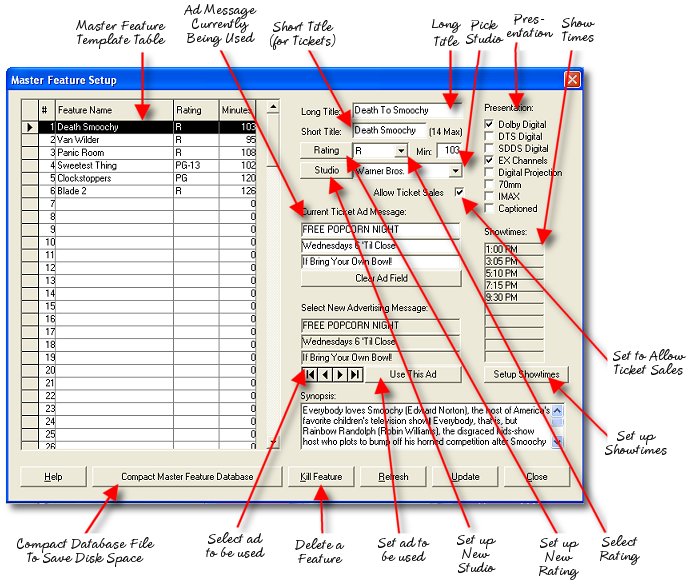
Long Title - This is the full title of the feature as it will appear on the majority of your reports. For instance, "Silence of the Lambs."
Short Title - This is the shortened version of the title that will be used on your tickets and other places where space is at a premium. Let's say for instance the feature's title is "Silence of the Lambs." The short title must be 14 characters or less and we would want to use as much of the real title as possible, so a good solution would be "Silence Lambs," with 13 characters.
Rating
(Combo Box) - This is a list of the ratings in the system
from which you can choose a rating.
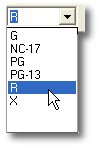
Rating (Command Button) - This allows you to add a new rating to the combo list above should new ratings come about or be different in your area.
Studio
(Combo Box) - This is a list of the studios in the system
from which you can choose when setting up a new feature in the
template. If the studio you need to use is not found on the list, you
can press the Studios command button and add a studio to the list.
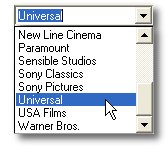
Studio (Command Button) - This allows you to add a new studio to the combo list above should the studio you need not be available.
Running Time - Enter the length of this feature, plus any previews in minutes.
Allow
Ticket Sales (Checkbox) - Enable the sale of tickets for
this feature when the playdate is created.
Advertising Messages - Select an advertising message to be used for tickets sold for this movie.
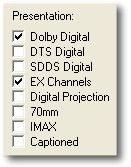
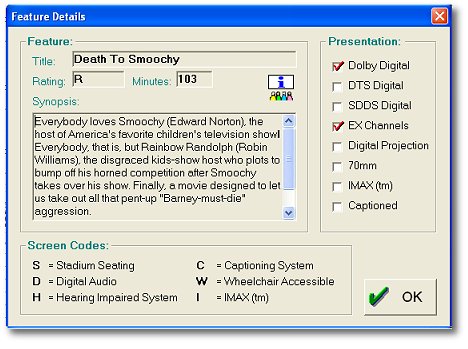
Presentation (Checkboxes) - Show presentation characteristcs in the point-of-sale information screen, check all that apply. See the information box displayed in the ticketing terminal below.
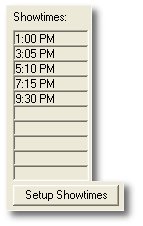
Showtimes - This displays the showtimes set up for the selected feature and a command button below the list allows you to edit the showtimes, auditoriums/seats and ticket categories.
Synopsis - This is the description for the cashier to read to a patron who asks what a certain movie is about. See the terminal feature info box shown above under the Presentation Characteristics. If you have web access on your manager office PC, it is easy to cut and paste the synopsis from popular web pages like moviefone.com into this field.
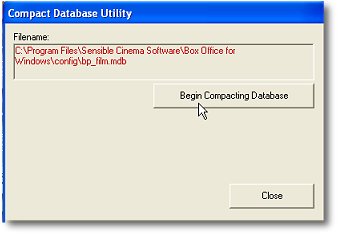
Compact Master Feature Database (Command Button) - Over time, database files grow in size as records are added and deleted. This file is designed to keep those kinds of file size changes to a minimum by having a finite number of records (30 to be exact). However, to optimize the file before creating playdate replications of it you might periodically use the compact database feature to clean the file up. Once started, the Master Feature Template window will close and the compact database window will appear. Simply press the "Begin Compacting Database" command button to start the database optimization.